
Recipe to shopping list
Turn your recipes into one shopping list
Choose what you want to cook. We'll put the ingredients on one shopping list, so you spend less time working out what to buy.
14 days free. No card needed. Paid plans after the trial.
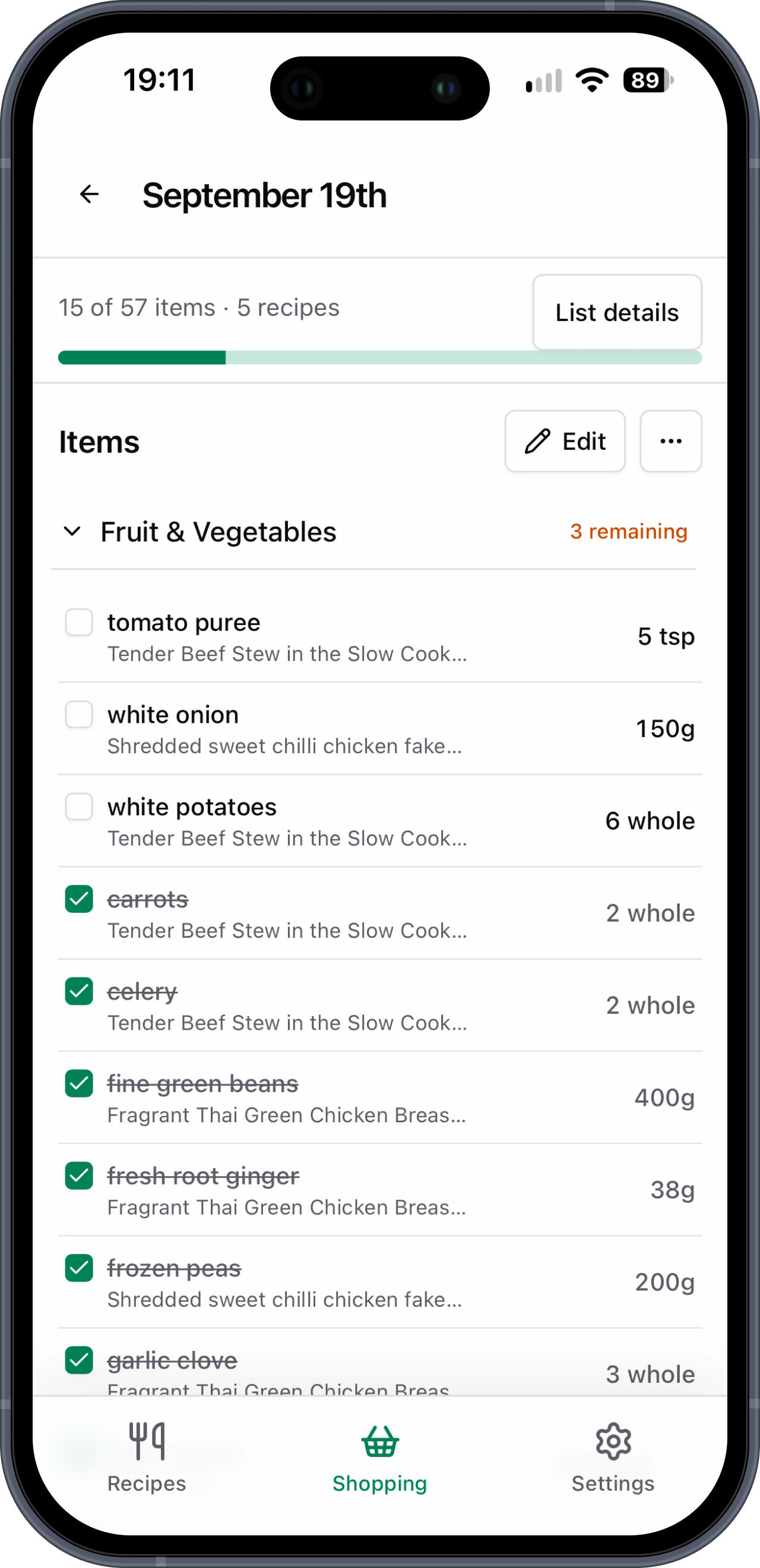
Keep your recipes in a cookbook everyone at home can use. Add them by hand or import a recipe link, then choose your meals and how many people you're cooking for.
- Your recipes, one food shopping list
- The right amounts for the people you're feeding
- The same list for everyone at home
- Shop at the supermarket you choose
“Now I just select the recipes I want for the week and they're added to my Basket List, neatly categorised and ready to shop.”
From the meals you choose to an easier food shop
Save your meals, choose what to cook and leave the list to us.
- Step 1
Add the meals you shop for
Add your recipes by hand or paste a recipe link. Check the ingredients before saving. If a link can't be imported, you can add the recipe yourself.
- Step 2
Pick what you're cooking
Choose the meals you want, whether you're shopping for one dinner, the whole week or a batch cook.
- Step 3
Choose how many you're feeding
Tell us how many people each recipe needs to feed. We'll work out the amounts for your list.
- Step 4
Shop from one organised list
We'll bring the ingredients together on one list. Use it in store or while shopping online, and tick things off together.
Several recipes should still mean one easy shop
No more jumping between recipes, notes and messages to work out your list. Choose your meals and get all the ingredients together before you leave.
Know what to buy
Pick meals from your cookbook and we'll make the list. You won't need to keep opening different recipes in the supermarket.
Tell us how many you're cooking for
Choose how many people each meal needs to feed. We'll work out how much of each ingredient you need.
Shop from one combined list
Need tomatoes for two dinners? We'll add the amounts together, so you can shop from one list.
Save a recipe once and reuse it for every shop
Keep the meals you like in your cookbook. When you're ready to shop, choose a few and we'll put their ingredients on your list. You won't need to write it all out again.
Found a recipe online? Paste the link, check the recipe and save it to your cookbook. Some recipe sites can't be imported, so you can always add it by hand. That works for family recipes and cookbook favourites too.
An easier shop for the meals you actually cook
The weekly food shop
Pick this week's dinners and get one shopping list. Your favourites are already saved for next time.
Keeping family favourites
Save the meals your household enjoys. Choose them again whenever you need a list for the next shop.
Sharing the food shop
Everyone at home can use the same cookbook and shopping lists. When you're online, you'll see each other's updates as you shop.
Shopping without a signal
Open your list while you're online, then keep using it if you lose signal. Tick things off as you shop. Your changes update when you're back online.
Your questions answered
Yes. Paste a link to a recipe page anyone can open, then check it before saving to your cookbook. We can't import every site. If a link doesn't work, you can add the recipe by hand. Once it's saved, you can use its ingredients in your shopping lists.
Yes. You'll see the recipe and ingredients before saving an import. Check them before saving. The saved ingredients are what we'll use for your shopping lists.
Yes. Add a recipe by hand from a cookbook, family notes or anywhere else. You don't need a recipe link.
Yes. Choose your recipes and how many people each meal needs to feed. We'll put the ingredients together on one shopping list.
Yes. You choose where to shop. Take your list to any supermarket, or use it while buying groceries online.
Yes. Invite the people you live with to your cookbook. Everyone can add recipes and use the same shopping lists. When you're online, the list updates as you tick things off.
Yes. Make your list and open it while you're online before you head out. It'll stay on your device if you lose signal. Keep ticking things off, and your changes will update when you're back online.
One food shopping list for your favourite meals
Save a few favourite meals and make your first shopping list. Try it free, with no card needed.