
Premade shopping list
Get a list made for your meals
Get a shopping list for the meals you choose. Tell us how many people you're cooking for. We'll work out how much you need and group the ingredients by type.
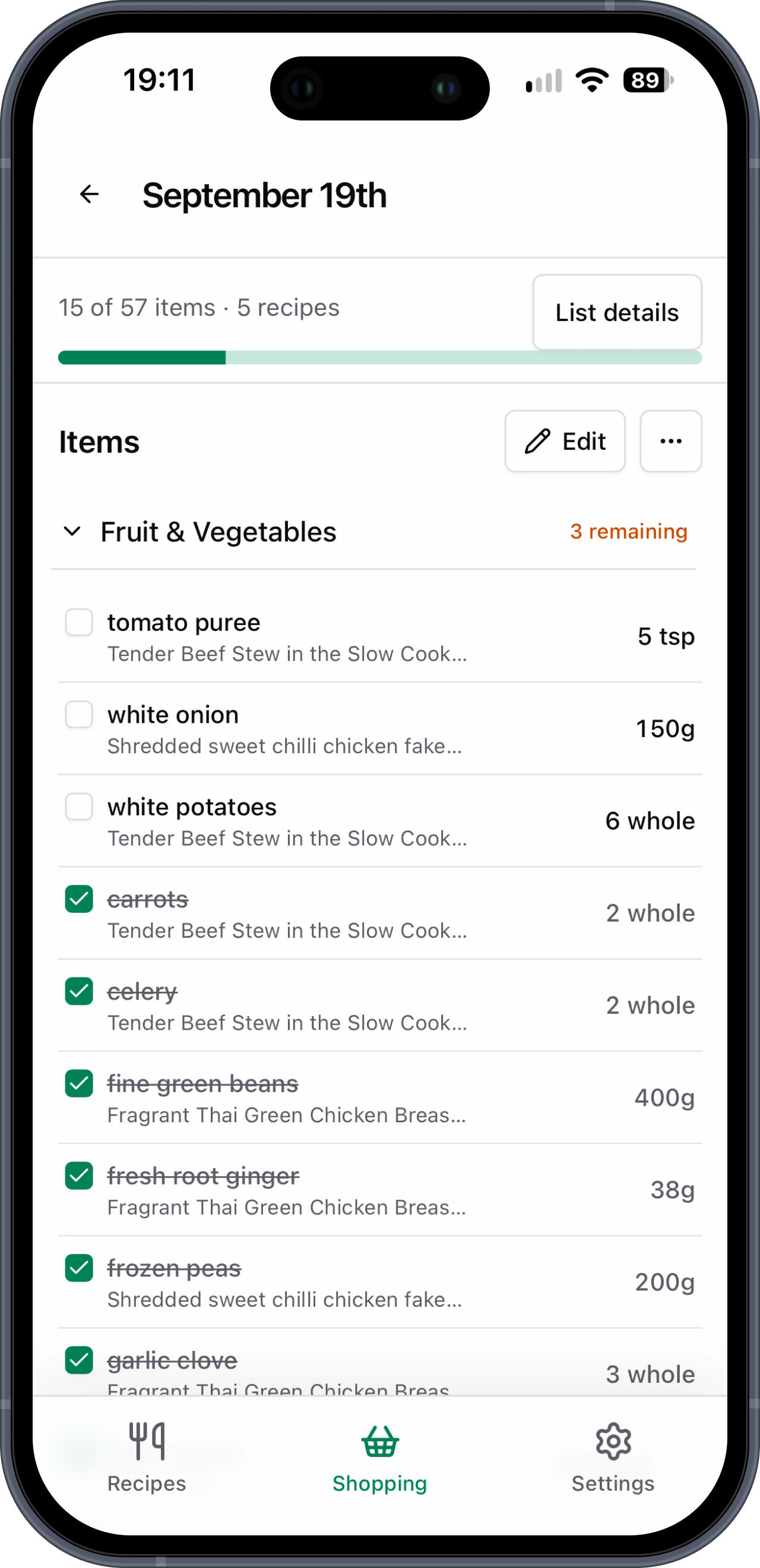
- One list for your chosen meals
- Ingredients grouped by type
- Extra groceries added when you need them
“Now I just select the recipes I want for the week and they're added to my Basket List, neatly categorised and ready to shop.”
Try the shopping list layout
There are ten example ingredients in each of our six groups. Try ticking a few off. These examples aren't a complete list or a ranking of popular ingredients.
Make a list that fits what you're cooking
Keep your recipes in a shared cookbook. Your whole household can use them to make a list. Everyone sees shopping updates while online.
Add recipes to your cookbook
Add a recipe yourself or paste a public recipe link to add it more quickly. Check it before saving. You can use it again for future lists.
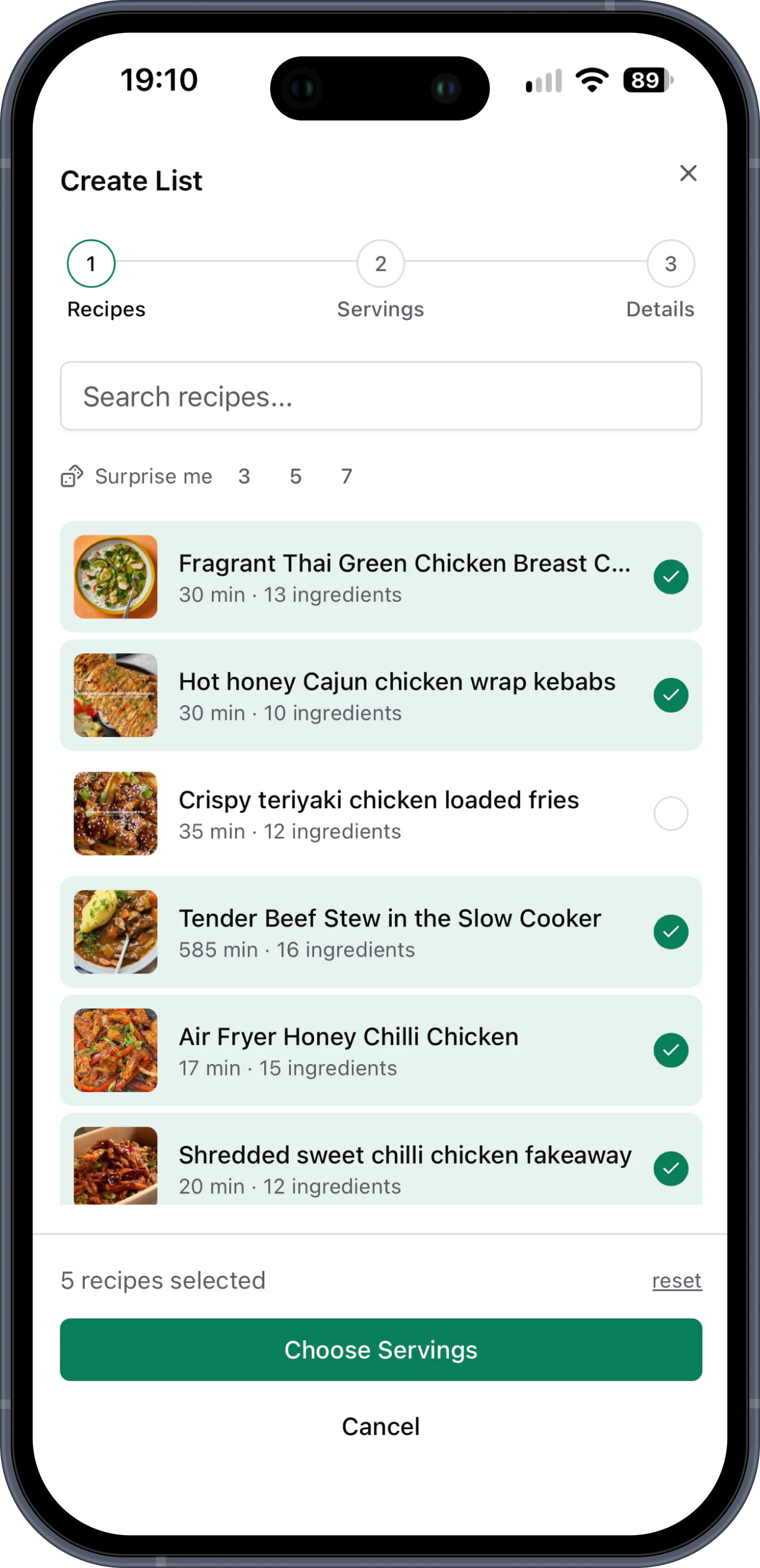
Choose your meals
Pick your recipes. Choose how many people you're cooking for with each one.
Shop by ingredient group
We'll work out how much you need, add matching ingredients together and group the list by type. Add any extra groceries before you go.
Your questions answered
The right list depends on what you're cooking. This page shows example ingredients in our six groups so you can try the layout. They aren't added to an account or saved.
No. These are only examples. To make your own list, save recipes to your cookbook. Choose your meals and how many people you're cooking for. We'll work out how much you need.
Yes. Use your Basket List shopping list as a guide while you fill your supermarket basket. You add items and check out with the supermarket yourself. You can put extra groceries on your list too.
Choose recipes from your cookbook and how many people you're cooking for. We'll work out how much you need and add matching ingredients together. Add any extra groceries before you shop.
No. You choose the meals that suit your household. We'll turn the recipes into a shopping list once you've picked them.
More help with the food shop
Make the next food shop easier
Choose your meals and how many people you're cooking for. We'll make your list.
Try it free