Shopping list generator
A shopping list generator built around what you are cooking
Pick your recipes, set servings, and make one organised grocery list for any supermarket.
It is designed for real food shops: weekly dinners, family meals, meal prep, batch cooking, and recipe-box-style favourites you now want to shop yourself.
- Generate one shopping list from multiple recipes
- Combine shared ingredients into a cleaner list
- Scale servings per recipe before you shop
- Share with your household and tick items off live
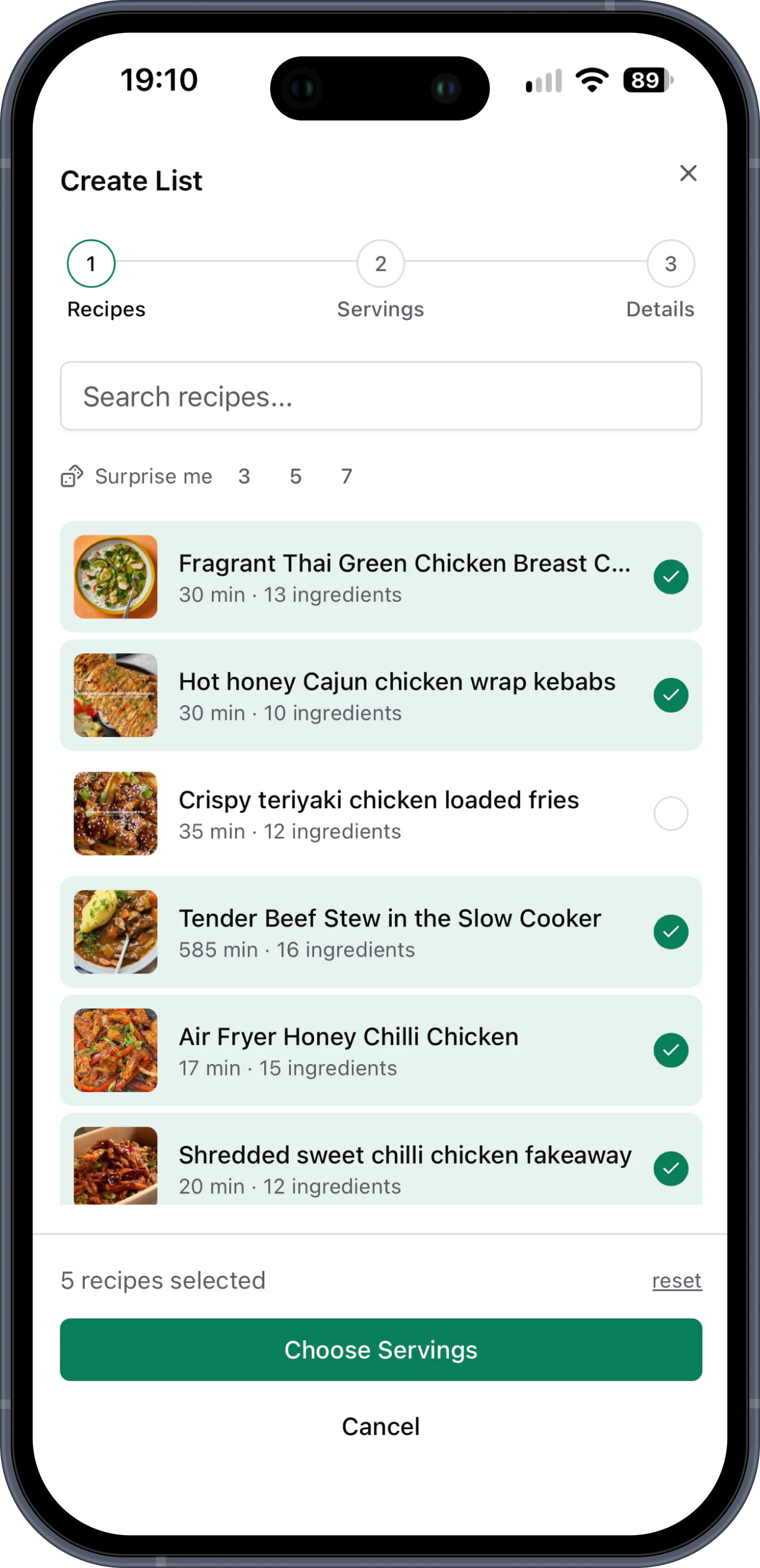
“Now I just select the recipes I want for the week and they're added to my Basket List, neatly categorised and ready to shop.”
Build a grocery list without the usual mistakes
Most shopping lists start as a note on your phone. That works until you are planning several meals and trying to remember quantities.
You miss ingredients
A copied list can easily miss the one ingredient that makes a recipe work.
You buy duplicates
When recipes are planned separately, shared ingredients often appear in several places.
You redo the same work
If you cook the same meals regularly, writing the same shopping list every week is wasted effort.
A grocery list maker built from the recipes you choose
Save your favourite recipes once, then reuse them whenever you plan a shop. You choose the meals, Basket List pulls together the ingredients.
If two recipes need the same ingredient, the list is cleaner because those items are combined. If servings change, the ingredient amounts update before the list is created.
Make a shopping list online for any supermarket
Basket List does not lock you into a recipe box, supermarket, or delivery service. It gives you the shopping list and lets you decide where to buy the ingredients.
That makes it useful for households that like recipe-box planning, but still want supermarket choice and control over brands, produce, and budget.
You can also use it as an online grocery shopping list: keep Basket List open beside your supermarket basket and work through it item by item. Basket List does not place the order or choose products for you.
How Basket List generates your shopping list
Four practical steps from cookbook to supermarket.
Save recipes
Add your regular meals manually or paste public recipe URLs and review the preview.
Pick meals
Choose what you are cooking for the week, a single shop, or a batch cook.
Set servings
Scale each recipe for the number of people eating it.
Shop from one list
Use the generated list on your phone and share it with your household.
Basic grocery list creator vs Basket List
A typed list stores what you remember. Basket List builds from the recipes you chose.
| Feature | Basic list app | Basket List |
|---|---|---|
| Recipe ingredients | Typed manually | Pulled from saved recipes |
| Serving changes | Worked out by hand | Set servings per recipe |
| Shared ingredients | Duplicated unless you spot them | Combined into one list |
| Household sharing | Depends on the notes app | Shared live with your cookbook |
| Weekly reuse | Rewrite or copy last week | Pick saved meals again |
Frequently asked questions
You pick saved recipes, set servings, and Basket List builds one combined ingredient list from those recipes.
Yes. Shared ingredients are merged into a cleaner list so you are not shopping from several duplicated recipe lists.
Yes. Set servings per recipe before creating the list, so different meals can feed different numbers of people.
Yes. People in your cookbook can use the same shopping list and see items being ticked off.
Yes. Basket List works in a web browser on your phone, tablet, or computer. You can also install it as a PWA for quicker access while you shop.
Start with one list
Choose your recipes. Basket List will make you a shopping list.
No card required for the free trial.
Related guides
Explore the other Basket List workflows that connect recipes, planning, and supermarket shopping.