Save the recipes you love, pick your meals for the week, and get a shopping list to take to whichever supermarket you like. All the convenience of a recipe box — without the subscription.
14-day free trial — no card required

“We were spending £60 a week on Gousto on top of our normal shop. When we cancelled and started buying those same ingredients at the supermarket, our weekly shop went up a little — but the overall cost came right down. We saved just over £2,000 in the first year.”
Same meals, less money
The problem
Recipe boxes like Gousto and HelloFresh are great for discovering new meals. But at £30 to £80 a week — on top of your regular shop — the cost adds up fast. And after a few months, most people are just reordering the same favourites anyway. At that point, you're paying a subscription for recipes you already know.
What Basket List does
You add your recipes and their ingredients. Pick the meals you want to cook, set how many you're feeding, and Basket List works out the quantities and gives you one shopping list. Take it to Aldi, Tesco, wherever suits you. Same meals, no subscription, and the ingredients cost a fraction of the box price.
Basket List was built for people who love recipe box meals but not the price tag. Here's what the switch looks like.
Buy the same ingredients at the supermarket instead. Your weekly shop goes up a little, but nothing close to the subscription.
Once your recipes are in, just pick meals, set servings, and the list is done. First-time setup takes around 10 to 15 minutes.
Sorted by type so you can find things quickly. New ingredients are added regularly based on what people are cooking.
How it works
The first time takes a bit of effort — you need to add your recipes and ingredients. After that, putting together a weekly shop takes about 30 seconds.
1
Add your recipesStick in the name, cooking time, servings, and a link to the original recipe if you have one. Takes about a minute each.
2
Add the ingredientsSearch our ingredient list and add what the recipe needs. Most ingredients are already there — we add new ones regularly.
3
Pick what you're cookingTap the meals you want this week. Cooking for two on Tuesday and six on Saturday? Set each one separately.
4
Name your listCall it whatever makes sense — 'This week', 'BBQ Saturday', 'Batch cook'. Helps when you've got a few on the go.
5
Get your shopping listWe combine duplicate ingredients across recipes and work out the quantities. Two recipes with onions? One line, right amount.
6
Tick things off as you goIf someone else is shopping with you, they see the same list updating live. Handy for splitting the shop in half.
Who it's for
Some people plan a full week on Sunday. Others wing it day by day. Either way, the annoying bit is the same: writing out what you need to buy. That's the bit we handle.
Households
One person plans, another shops, everyone eats. Keep it all in one place.
Works well when different people do the planning, cooking, and shopping.
Batch cooking
Same meals every week? Stop writing the same list every week.
Good for Sunday batch cooks, work lunches, and anyone who eats the same rotation.
Weekly planning
Pick your dinners for the week, get a list, do one shop. Done.
For the “what are we having this week?” Sunday evening crowd.
What it looks like
Pick recipes, adjust servings, get a list. The app handles the combining and counting so you don't have to.
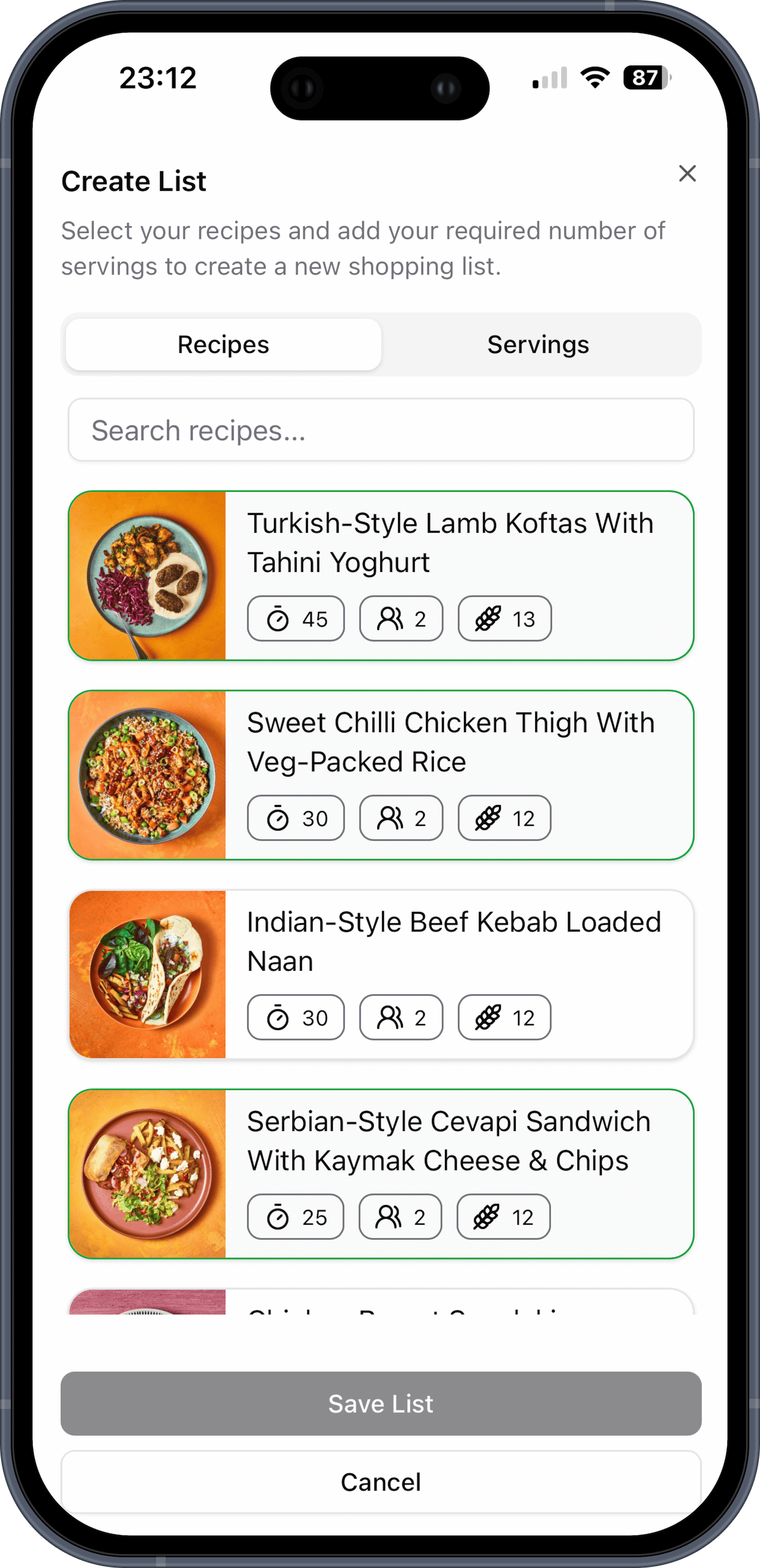
Scroll or search to find what you want. There's also a “Surprise me” button that picks 3, 5, or 7 meals at random from things you haven't cooked recently. Useful when nobody can decide what to eat.

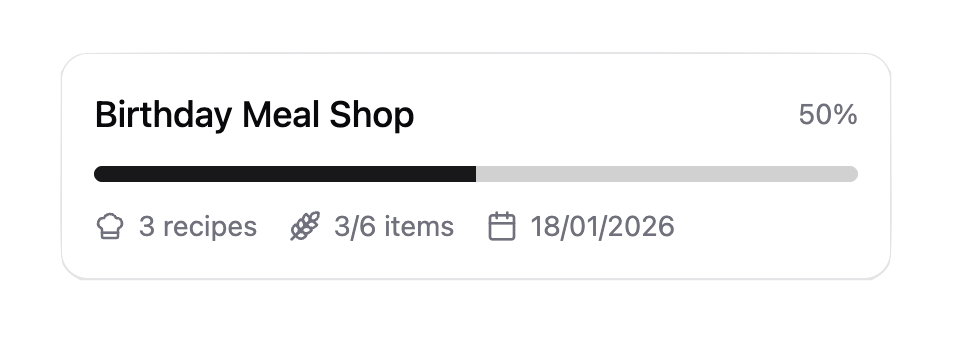
Lists update live for everyone. One of you does fruit and veg while the other grabs the meat — you both see what's been ticked off without texting each other. Split the shop and get out quicker.

Each recipe card shows cooking time, servings, and how many ingredients it has. Enough to decide what to cook tonight without opening every single one. Links back to the original recipe too.

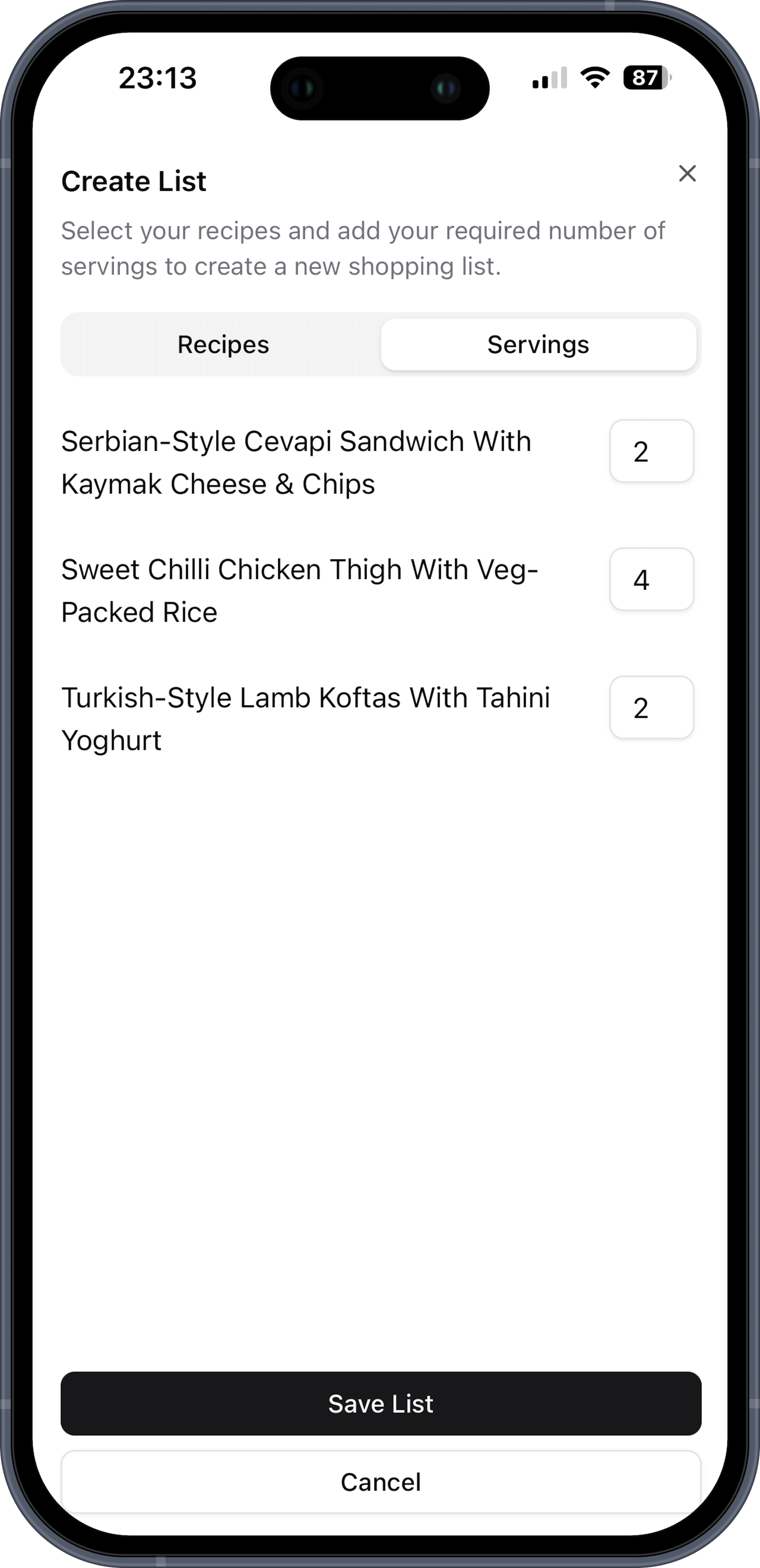
Cooking for two on Monday but six on Saturday? Set each meal to the right number and the quantities adjust across the whole list. Beats doing the maths in your head at the supermarket.

Pricing
14-day free trial, no card needed. Both plans include everything — unlimited recipes, unlimited lists, and sharing with your whole household. The only difference is monthly vs annual billing.
Save £11/year vs monthly
Billed monthly
One plan covers your whole cookbook. Invite your partner, housemates, kids — everyone gets full access at no extra cost.
Add a few recipes, pick your meals for the week, and see what your shopping list looks like. The trial is free and you don't need a card.
No credit card required